Jobs & scheduling
Customer details, service address, appliance information, notes, appointment windows and clear visit states.
The ultimate owner/operator workspace
FieldOpsX is the owner/operator app for the whole job: schedule the call, manage the visit, track parts, send the invoice, record expenses and see what the work is actually earning.
Built around the actual work
There is no fictional desktop dashboard in this tour. Every product visual below is a capture from the FieldOpsX app, using a clearly labelled synthetic dataset so you can see the flow without exposing anyone’s records.
Review the product screens →Product evidence
The app is Android-first and practical by design. These are the screens your operator moves through every day.
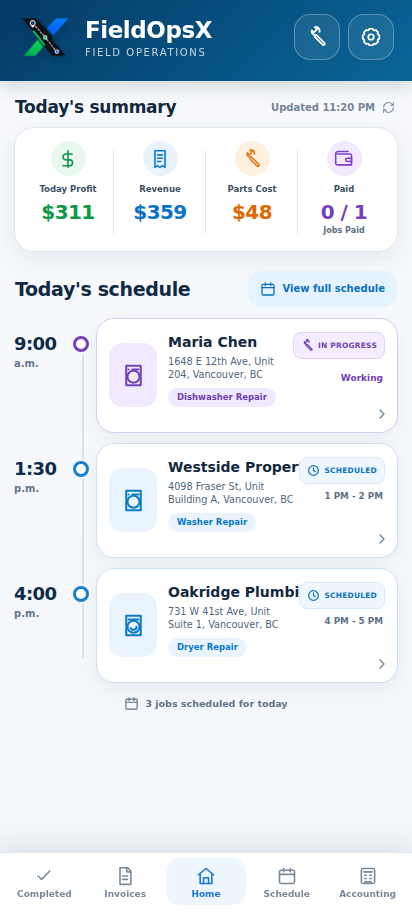
Profit, revenue, parts cost, paid jobs and the day’s schedule in one glance.
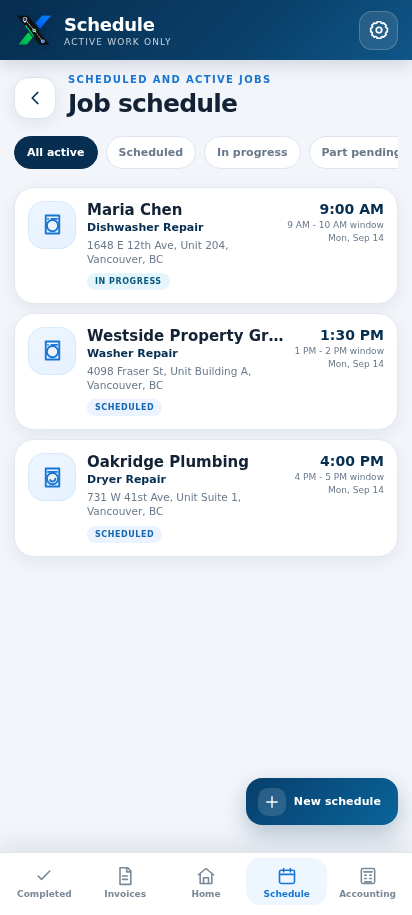
See the active queue, time windows, customer details and job status.
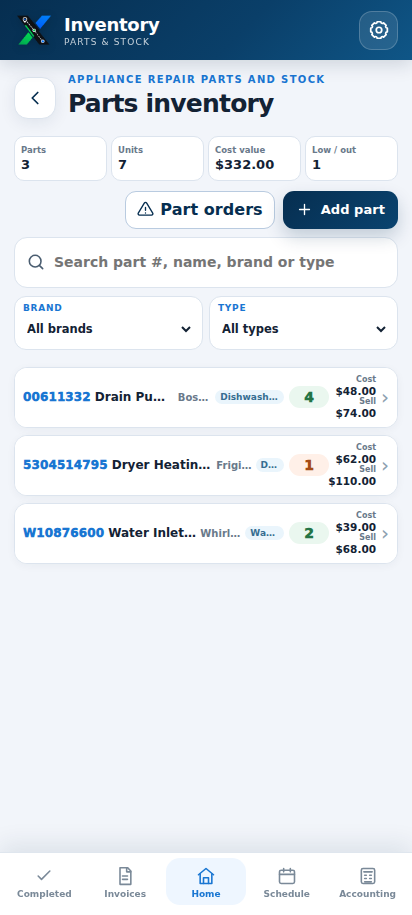
Track stock, cost, sell price, appliance type, bin and supplier links.
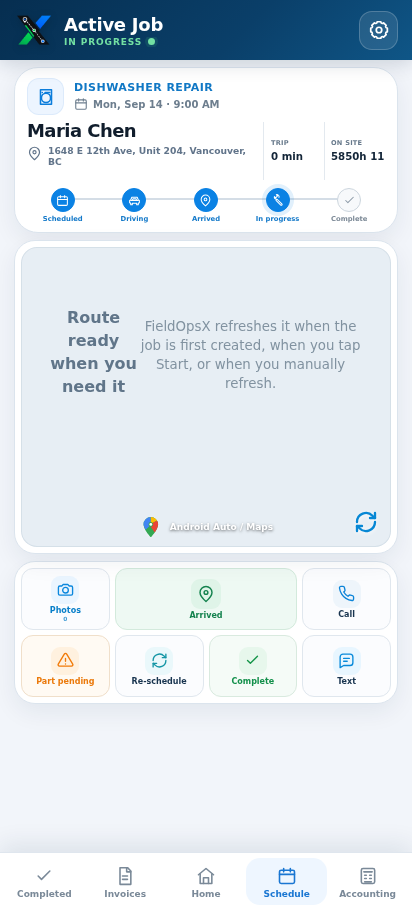
Keep the issue, notes, status, job parts and customer contact together.
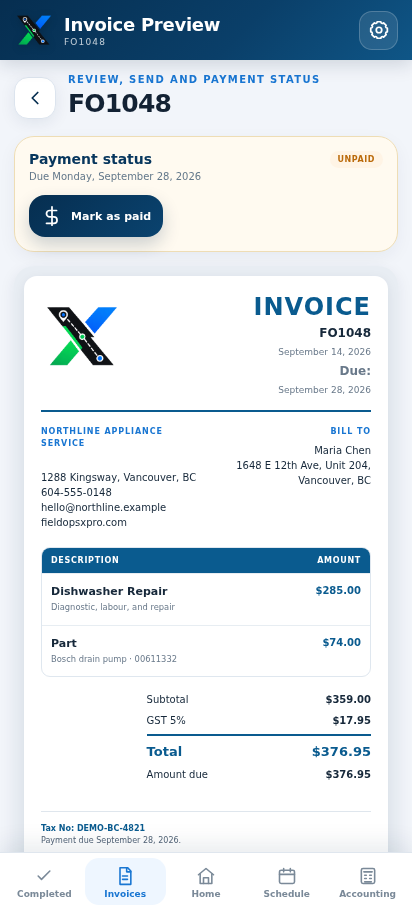
Show labour, parts, tax, due date and payment status clearly.
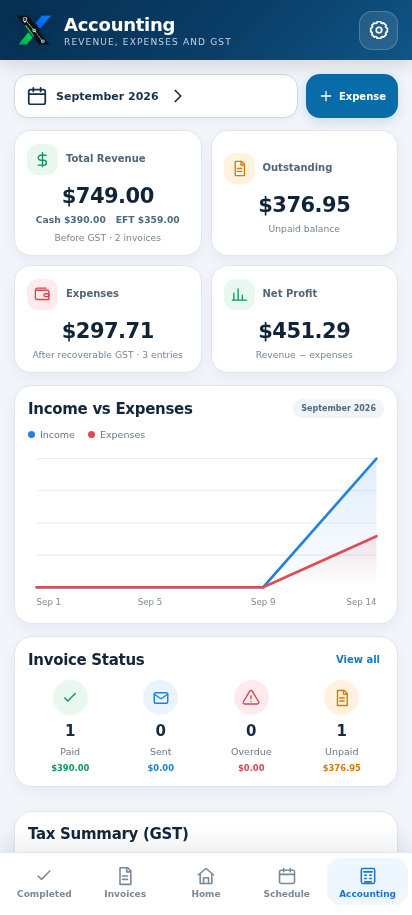
Read revenue, outstanding balance, expenses, net profit and GST together.
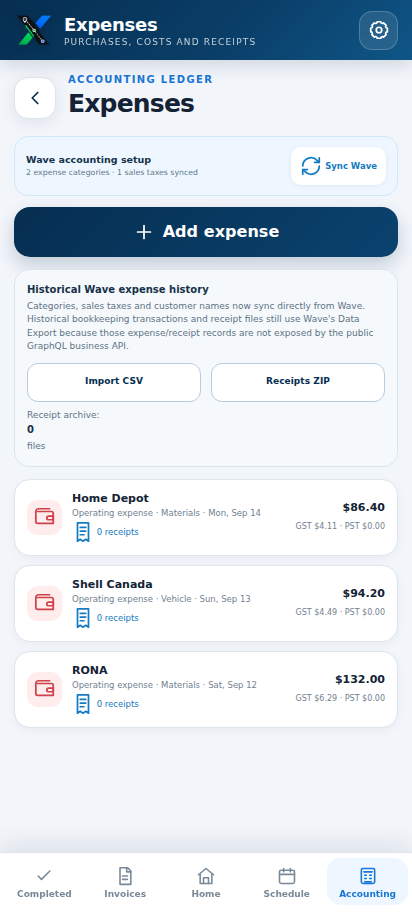
Log vendors, categories, tax and recoverability in the ledger.
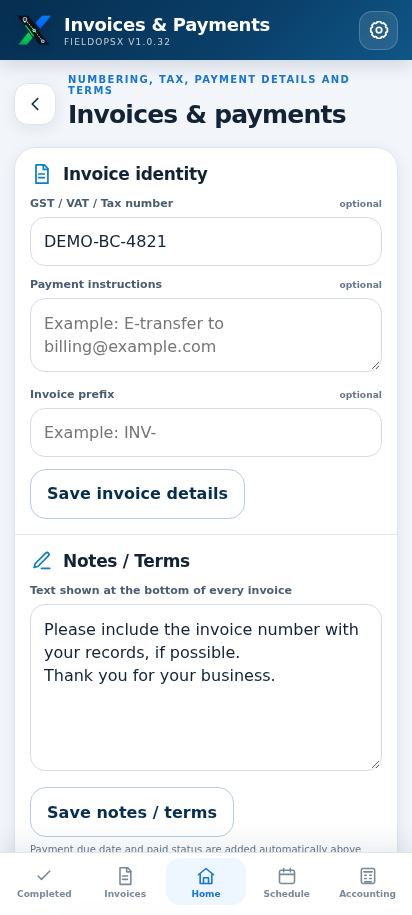
Configure your business identity, logo size, colour, tax details and terms.
What the app connects
Customer details, service address, appliance information, notes, appointment windows and clear visit states.
Stock quantity, internal cost, invoice price, bin location, supplier links and job-level part usage.
Itemized work, tax, due dates, paid or outstanding status, PDF, email and SMS handoffs.
Optional Wave connection, revenue, outstanding balances, expenses, GST/PST tracking and net profit.
Data and control
FieldOpsX is built around local-first records on the phone, with optional backup and sync workflows. The screenshots use synthetic records and never expose a production account.
Keep the job record close while you are on site.
Wave, Drive and sync features are opt-in.
Every person, address and amount shown here is synthetic.
Next step
Review the real app screenshots or contact us about the Android release.